
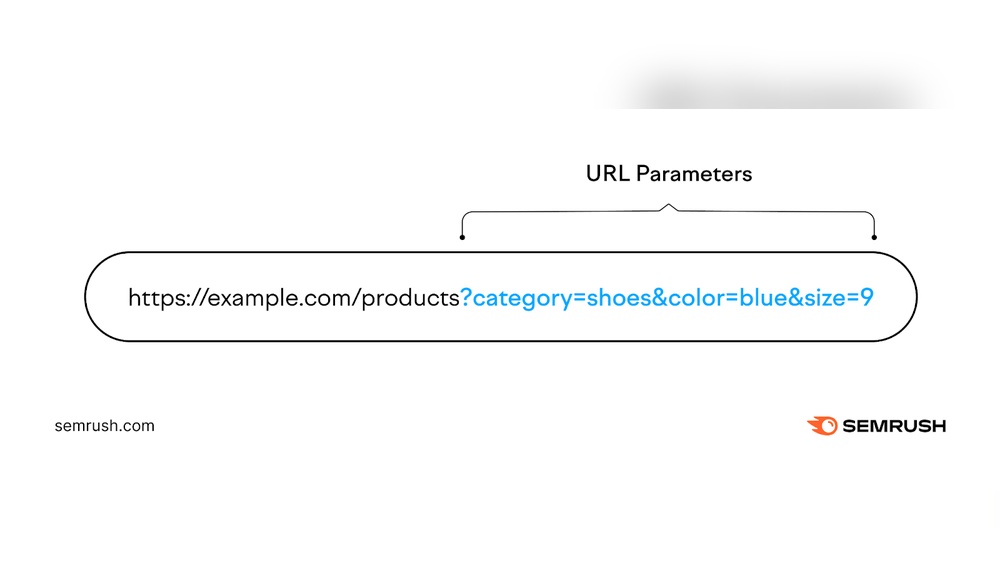
Have you ever wondered what those extra bits of text after a web address do? These are called URL parameters, and they hold the key to making your online experience smoother and more personalized.
Whether you’re running a website, tracking marketing campaigns, or just curious about how links work, understanding URL parameters can give you a clear advantage. You’ll discover what URL parameters are, why they matter, and how you can use them to boost your website’s performance.
Keep reading—your next breakthrough in managing URLs is just ahead.
Credit: sitechecker.pro
What Are Url Parameters
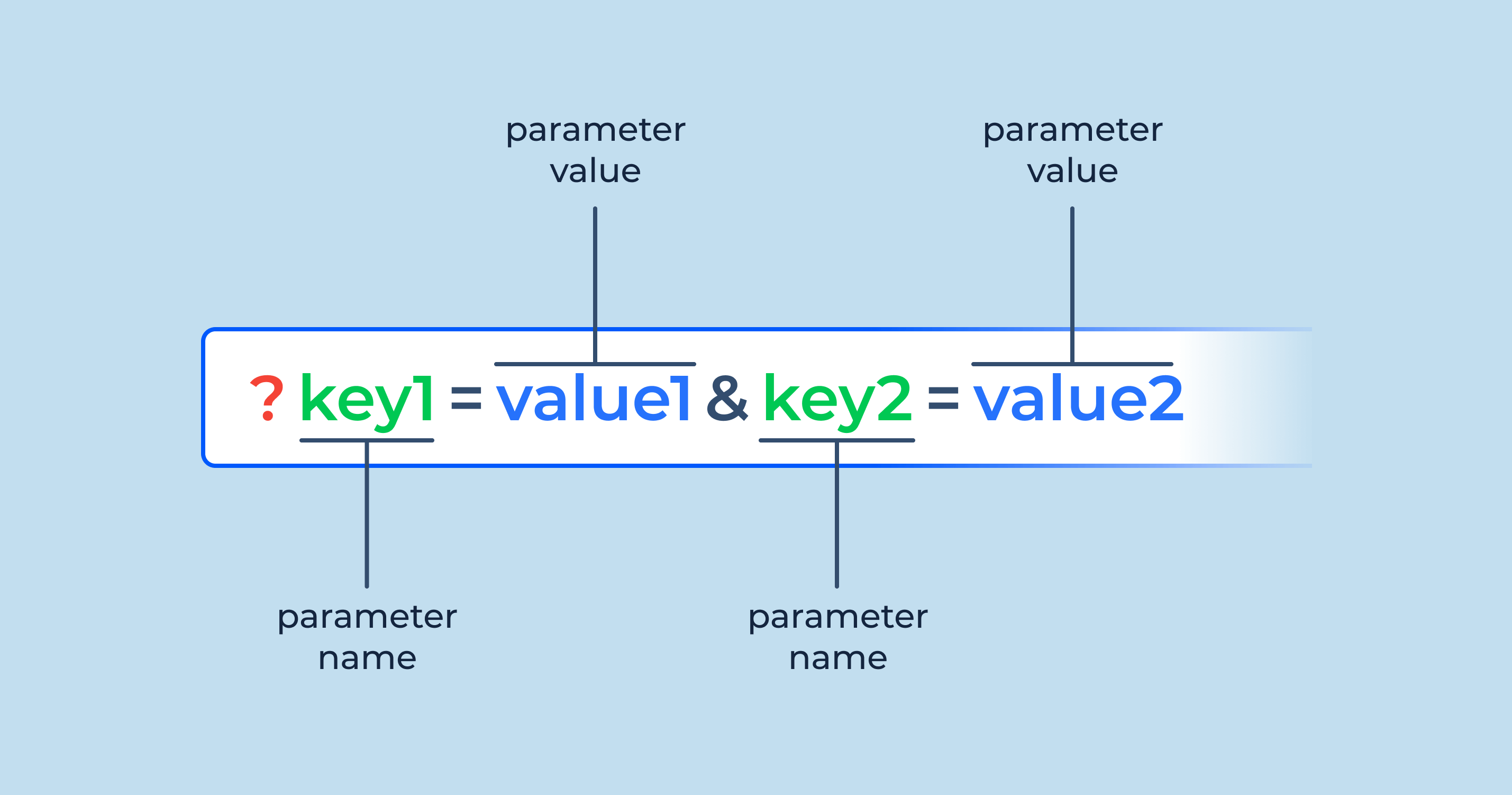
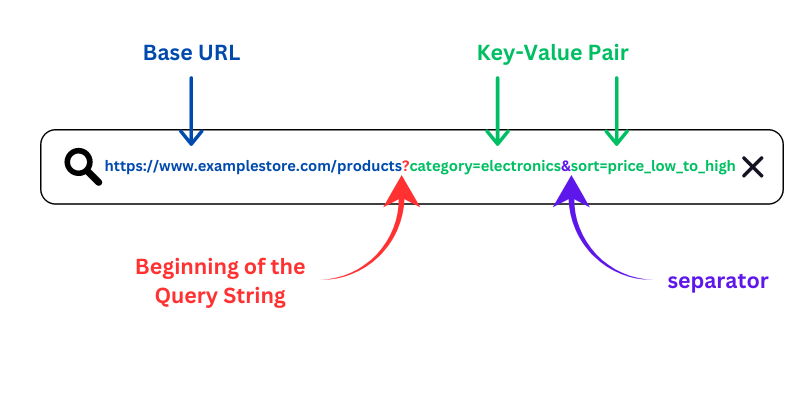
URL parameters are extra pieces of information added to a web address. They come after the main URL and start with a question mark (?). Each parameter has a key and a value, separated by an equals sign (=). Multiple parameters use an ampersand (&) to separate them. These parameters help websites track, filter, or customize content without changing the main page.
Types Of Url Parameters
There are several common types of URL parameters. Tracking parameters collect data about user behavior. Filtering parameters show specific content, like sorting products by price. Session parameters keep information about a user’s current visit. Campaign parameters help identify traffic sources, such as ads or emails.
Common Uses In Marketing
Marketers use URL parameters to measure campaign success. They track where visitors come from and which ads work best. Parameters can personalize user experiences by showing targeted content. They also help test different versions of a page to see which performs better. URL parameters provide valuable insights without changing the website itself.
How Url Parameters Impact Seo
URL parameters are parts of a web address that follow a question mark. They help show different versions of a page. These small additions can change how search engines see your site. They affect SEO in both good and bad ways. Understanding their impact is key for better rankings and user experience.
Benefits For Search Rankings
URL parameters can improve search rankings by organizing content. They let websites show different options like colors, sizes, or sorting. This helps search engines find relevant pages for specific searches. Parameters can increase the number of indexed pages. More indexed pages mean more chances to appear in search results.
Risks Of Duplicate Content
URL parameters may cause duplicate content problems. Different URLs with the same content confuse search engines. They might split ranking signals between duplicates. This lowers the overall SEO strength of your pages. Search engines may also waste crawl budget on duplicates. This reduces time spent on important pages.
Best Practices To Avoid Seo Issues
Use canonical tags to tell search engines the main page. This prevents duplicate content penalties. Limit the number of URL parameters in your links. Use Google Search Console to manage how parameters are handled. Avoid parameters that do not change page content. Keep URLs clean and simple for better SEO results.
Tracking Campaigns With Url Parameters
Tracking campaigns with URL parameters helps understand where website visitors come from. It shows which ads or posts bring the most traffic. This data helps improve marketing strategies and spend money wisely.
URL parameters are small tags added to links. They send details to analytics tools about user actions. Marketers use these tags to track campaigns across different platforms.
Setting Up Utm Parameters
UTM parameters are common tags for tracking campaigns. They include source, medium, campaign, term, and content. Adding these to your URL creates a custom tracking link. Use simple names to keep data clear and organized.
Tools like Google’s Campaign URL Builder help create UTM links. Always test links before sharing. This ensures tracking works correctly.
Analyzing Traffic Sources
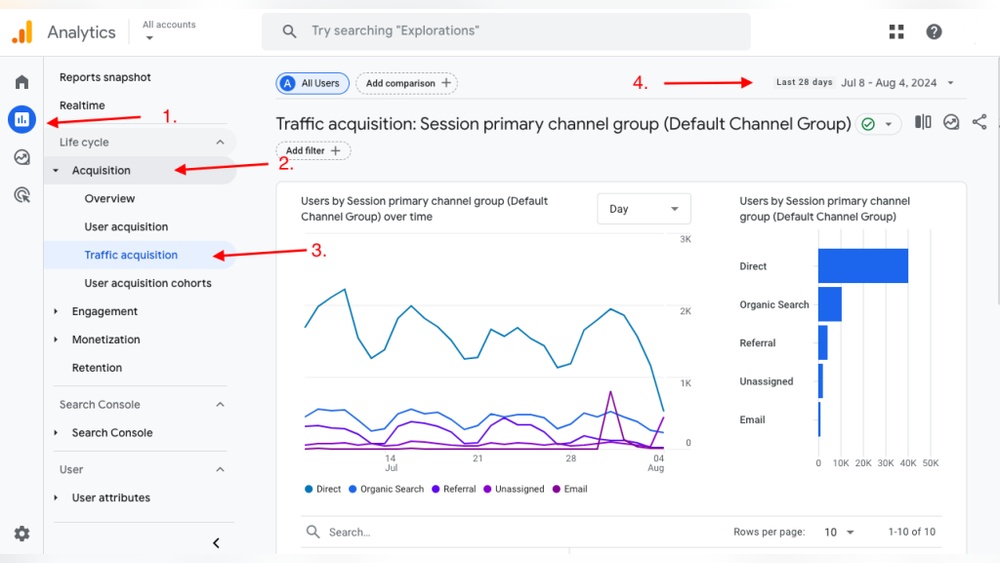
URL parameters reveal which platforms drive visitors to your site. Check analytics to see traffic from social media, emails, or ads. Compare sources to find the best performing channels. This helps focus efforts on channels that bring quality visitors.
Look for patterns in user behavior from each source. Note bounce rates, session duration, and pages visited. These insights show how engaged visitors are from different campaigns.
Measuring Conversion Rates
Conversions mean users complete goals like buying or signing up. URL parameters link campaigns to these actions. Track which links lead to the most conversions. This shows which campaigns bring real value.
Set up goals in your analytics tool. Match conversions to UTM-tagged links. Use this data to adjust your marketing approach. Stop spending on low-performing campaigns and boost effective ones.

Credit: www.botify.com
Tools For Managing Url Parameters
Managing URL parameters can be tricky without the right tools. These tools help create, track, and analyze URLs with parameters. They save time and reduce errors. Using the right tools makes your marketing and SEO efforts more effective.
Url Builders And Generators
URL builders help create links with specific parameters. You enter your base URL and add details like campaign name, source, and medium. The tool then generates a full URL with parameters correctly placed. These generators prevent mistakes and keep URLs consistent across campaigns. Many are free and easy to use. They allow you to customize links for email, social media, or ads.
Analytics Platforms Integration
Analytics platforms track URL parameters to measure traffic and user behavior. They read parameters like source or campaign to show where visitors come from. This data helps understand which marketing efforts work best. Popular platforms like Google Analytics automatically recognize common URL parameters. Some tools link directly to analytics platforms for real-time tracking. This integration simplifies data collection and reporting.
Optimizing Url Parameters For User Experience
Optimizing URL parameters improves how users interact with your website. Clear and simple URLs help users trust and remember your pages. They also make sharing links easier across different platforms.
Proper use of URL parameters can boost your site’s usability. When parameters are well-organized, users find what they need faster. This leads to a better overall experience and more visits.
Keeping Urls Clean And Readable
Clean URLs show only necessary information. Avoid long strings of random letters or numbers. Use words that describe the page content clearly. This helps users understand the link before clicking.
Readable URLs also help with search engine rankings. Search engines prefer URLs that match the page topic. Use simple words separated by hyphens instead of underscores or spaces. This keeps URLs neat and easy to scan.
Avoiding Parameter Overload
Too many parameters make URLs confusing and hard to use. Limit the number of parameters to only what is essential. Each parameter should have a clear purpose.
Complex URLs may cause errors or slow down page loading. They can also confuse tracking and analytics tools. Keep URLs short and focused to avoid these problems.
Credit: susodigital.com
Frequently Asked Questions
What Are Url Parameters Used For?
URL parameters pass data to a webpage via the URL. They help customize content, track campaigns, and filter results. Parameters appear after a question mark (? ) And use key-value pairs separated by ampersands (&). They enhance user experience and enable better analytics.
How Do Url Parameters Affect Seo?
URL parameters can cause duplicate content if not managed well. Search engines might index multiple versions of the same page. Using canonical tags and Google Search Console’s parameter tool helps prevent SEO issues. Proper handling ensures better site ranking and indexing.
Can Url Parameters Improve Website Tracking?
Yes, URL parameters enable detailed tracking of user behavior and campaigns. Marketers use them to identify traffic sources, campaigns, and user actions. Parameters like UTM tags integrate with analytics tools, providing valuable insights to optimize marketing strategies.
How To Create Url Parameters Correctly?
Start with a question mark (? ) After the base URL. Add key-value pairs separated by an equals sign (=). Use ampersands (&) to separate multiple parameters. Keep parameters simple, clear, and relevant to avoid confusion and errors in data handling.
Conclusion
Url parameters help track and organize website data clearly. They make links easier to manage and analyze. Using them wisely improves user experience and SEO results. Avoid adding too many parameters to keep URLs clean. Test your links often to ensure they work well.
Understanding URL parameters can boost your website’s performance. Simple steps lead to better web management and insights. Keep learning and applying these tips for steady growth.